Live translated subtitles for PS5, PS4 and Xbox · Android TV · Google TV · LG · Samsung
Play PS5, PS4 and Xbox games with translated subtitles.
The game speaks English; you read it in Arabic or Turkish. Your phone translates, your TV shows it: Dijitransio on your phone reads the English subtitles of the game on your console and translates them; the translation appears over the game on Android TV, Google TV, LG and Samsung, and on other screens it appears on your phone. Nothing is installed on the console, and it is not a mod.
- Install it on your phoneFrom Google Play or the App Store; the phone does the translating.
- Connect your TVAlso install it on Android TV and Samsung, open the page in the browser on LG; on other screens the translation stays on your phone.
- StartTap Start translation on your phone: the subtitles on your TV are translated.
- Your phone translates, your TV shows it
- Free app for Android TV and Samsung, nothing to install on LG
- Nothing is installed on the console
- PS5, PS4 and Xbox
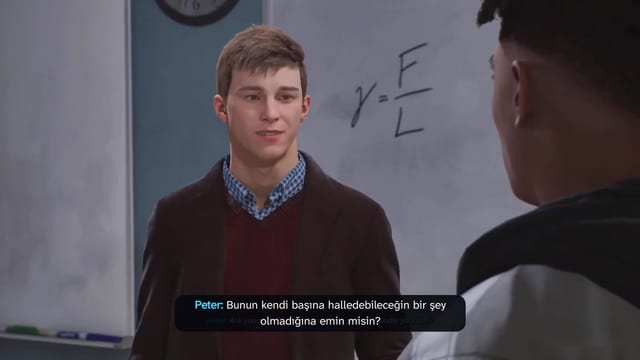
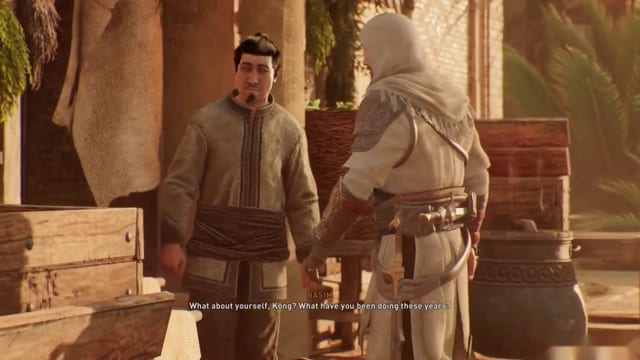

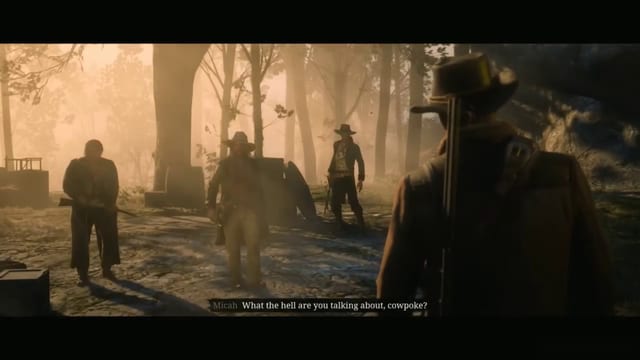
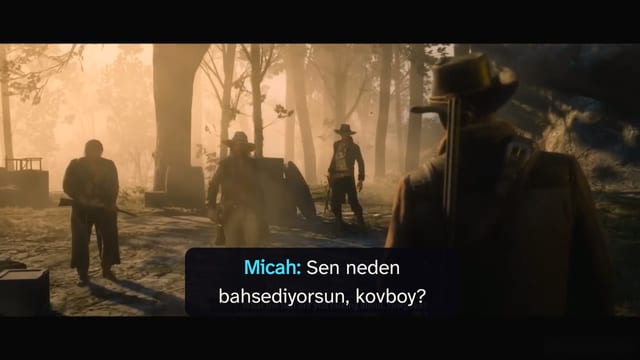
01Real recording
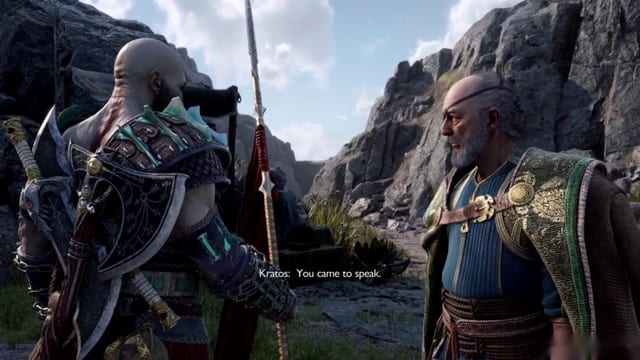
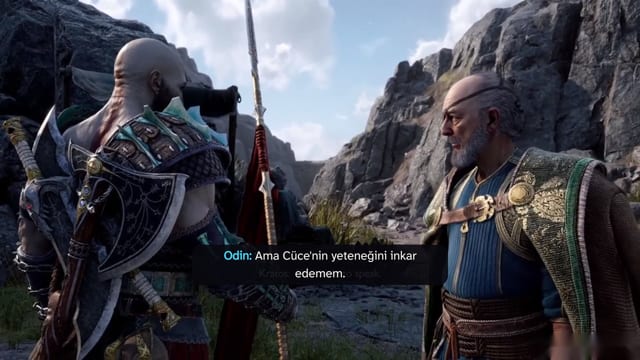
The subtitle appears, the translation follows.
The game speaks English; Dijitransio reads the subtitle, translates it and writes the translation in the same place. You keep playing.
The recording is not sped up: the scene was run through Dijitransio on Android TV (in this test setup the picture came from a gameplay video of the same game instead of a PS5); the Turkish subtitles are the app's real output, shown at the moments they appeared. Footage: Red Dead Redemption 2 © Rockstar Games.
02On screen
The subtitle is translated. Everything else in the game stays where it is.
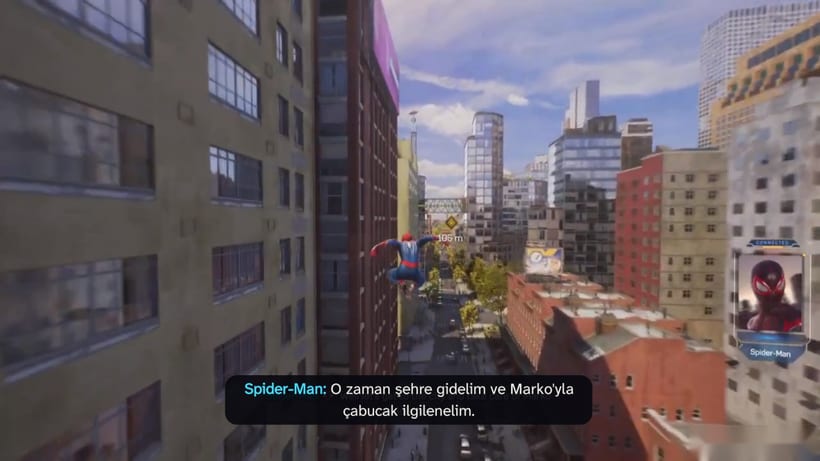
Subtitles with the speaker's name
The line arrives translated, and the speaking character's name stays in colour.
Exactly where the English was
The translated box sits over the game's own subtitle, at the same size; you never read two languages stacked on top of each other.
Numbers stay untouched
Distance, time, money and ammo counters are not translated, and no unnecessary boxes appear on screen.
The game's interface stays put
Map markers, icons and character cards stay exactly as they are.
03Setup
One-time setup, 5–10 minutes.
Setup runs step by step in the Dijitransio app on your phone; the phone finds and pairs the console. On Android TV you also install the free Dijitransio app on the TV, on Samsung an Android phone installs Dijitransio on the TV once, on a TV box Dijitransio is installed on the box, on LG you simply open a page in the TV's browser, and on other screens you do nothing on the TV.
-
TV · TV code
Connect the TV to your phone
On Android TV, Dijitransio shows a QR code and a 6-digit TV code; scan it with Dijitransio on your phone or type the code. On LG you open dijitransio.com/tv in the browser, on Samsung you open Dijitransio on the TV, and type the code you see into your phone.
-
Phone · Sony's sign-in page
Sign in with a second account
With a free second PSN account, you sign in on Sony's own page, which opens in your phone's browser. Your password goes to Sony, never to us. On Xbox no second account is needed; you sign in with your Microsoft account.
-
PS5: Pair Device · PS4: Add Device
Enter the code from your console
On PS5, get the 8-digit code from , on PS4 from , and enter it in the app on your phone. Then switch back to your main account and play.
04Appearance
Subtitles that suit your screen.
Position, size, background, colour, speaker name. All settings are on your phone, and you see every change in a live preview on the TV. You can try it below as well.
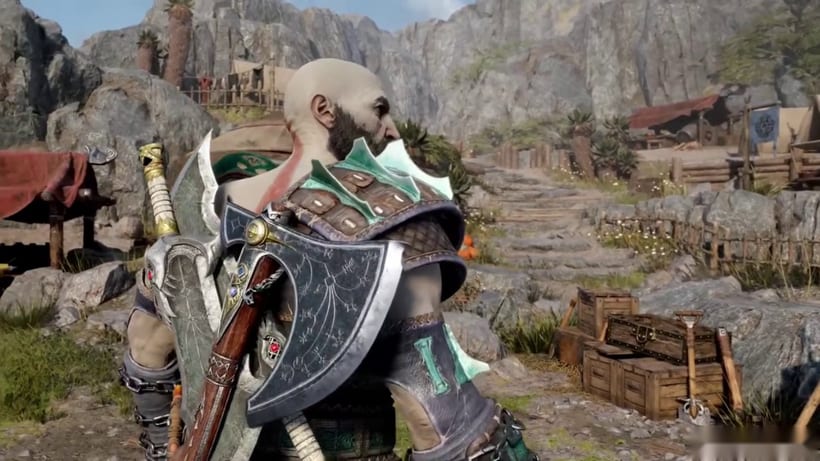
Mimir: Herkes nerede?
05Privacy
Your game's picture never reaches us.
Translation stays on your phone
The free translation runs on your phone's processor; neither the picture nor the text goes to a server for translation. Only the translated text goes to the TV, end-to-end encrypted; our server can neither read it nor store it.
Your password never reaches us
You sign in to PlayStation on Sony's own page, which opens in your phone's browser; on Xbox you sign in to Microsoft on Microsoft's own page, which opens inside the app. We only receive the account ID needed to pair the console.
Your own service, your choice
If you add a DeepL, Microsoft Azure, Google Cloud, Gemini, OpenAI or Claude key, the text goes only to the service you choose. Four of them have a free quota: how to get a key.
06Guides
Guides to playing in your own language
- Game guide · Arabic: No Does Alan Wake 2 Have Arabic? PS5 Languages and Arabic Subtitles Alan Wake 2 has no Arabic on PS5 and no Arabic language pack. See its 14 text and 5 voice languages and how to read the story in Arabic on your TV.
- Game guide · Arabic: No Does Black Myth: Wukong Support Arabic? PS5 Language List Black Myth: Wukong has 15 text languages on PS5, Turkish included, but no Arabic. The full list and how to read the game in Arabic on your TV.
- Game guide · Arabic: No Does GTA 5 Have Arabic? Languages on PS5 and PS4, and How to Play in Arabic GTA V has no Arabic on PS5 or PS4: 12 text languages and English voices. Why there's no console Arabic patch and how to read the story in Arabic anyway.
07Compatibility
Works on every screen; the translation appears on the TV or on your phone.
Dijitransio on your phone does the translating. On Android TV and Google TV the free Dijitransio app you install on the TV, on LG the page in the TV's browser, and on Samsung the Dijitransio app installed on the TV once writes the translation over the game. On a TV box such as Mi Box or Chromecast, Dijitransio on the box opens the game over your home network by itself and writes the translation over it. On Samsung TVs older than 2019, other TVs and monitors, the translation appears on your phone's screen.
On the TV, over the game
- Android TV and Google TV televisions: Sony, TCL, Xiaomi, Beko; and the Philips, Grundig, Hisense, Vestel, Toshiba and Onvo models with these systems
- LG (webOS) televisions, through the page in the browser; works on most models from 2016 on
- Samsung (Tizen) televisions, with Dijitransio installed on the TV once; 2019 and later
- Any screen with an Android TV or Google TV box plugged in (Mi Box, Chromecast, TV Stick): the box opens the game; with PS5 and PS4
On your phone's screen
- Samsung TVs older than 2019 and other televisions
- Monitors and projectors
On Google Play and the App Store. Install it on your phone first.
Download Dijitransio from Google Play on an Android phone or from the App Store on an iPhone; the phone does the translating. If you have Android TV or Google TV, you also install the free Dijitransio app on the TV (from the TV's Google Play Store). On LG the TV's browser is enough; on Samsung an Android phone installs Dijitransio once (Samsung TV setup); if you have a TV box such as Mi Box or Chromecast, you install Dijitransio on the box (TV box setup); on other screens the translation appears on your phone.